

A design can look promising on your screen and still struggle to sell. Ordering a large batch before you know what customers want turns that uncertainty into a financial commitment.
Print on demand offers a way to test product designs without buying stock upfront. Instead of purchasing finished products in bulk, you list your designs and have individual items produced when customers order them.
Platforms such as Printify and Printful make this approach accessible to small businesses and independent creators. Skipping inventory doesn’t make testing free, though: samples, store fees, design work and marketing still cost money.
The goal is to keep those costs controlled while answering three questions: Do people want the design? Does the physical product meet expectations? Can you sell it profitably?
Why Use Print on Demand to Test New Designs?
Print on demand separates product creation from bulk purchasing. You can develop several designs, create product listings and test customer response without committing to hundreds of units.
That lets you:
- Compare different ideas: Find out which designs attract attention and generate purchases.
- Start with a small range: Test a focused collection before expanding into more products.
- Make revisions: Adjust artwork, colors or placement for future orders.
- Limit unsold inventory: Retire weak designs without being left with boxes of finished stock.
There are trade-offs. Producing individual items can leave less room for profit than bulk manufacturing, and fulfillment times, shipping costs and product availability can affect the customer experience.
Start With a Clear Testing Question
“Will people like this?” is too broad to guide a useful experiment. A stronger question identifies the audience, the design choice and the behavior you want to measure.
For example: among customers interested in hiking, will a minimalist mountain graphic generate more purchases than a text-based outdoor slogan on the same T-shirt?
Change One Main Variable at a Time
If you’re comparing artwork, keep the product, price, shipping offer and presentation as consistent as possible.
Putting one design on a budget custom T-shirt and another on a premium hoodie makes the results harder to interpret. Customers could be responding to the garment or price rather than the artwork.
Once you identify a promising design, you can run separate tests for color, placement, product type or pricing.
Decide What Would Count as Progress
Choose your main success measure before launching. For an early concept test, that might be email sign-ups. For a live product test, purchases and profit after variable costs are more useful.
Set a spending limit and a review point, too. This helps prevent a weak idea from absorbing an open-ended advertising budget.
Keep a Simple Testing Log
Record the design, product, price, traffic source, launch date and results. Include any changes made during the test.
Over several rounds, this record can reveal patterns that individual launches miss—for example, a particular design style consistently attracting clicks but rarely converting into sales.
Check the Costs Before Testing Demand
Before you test demand, make sure a sale would actually make money.
Estimate what remains from each order after accounting for:
- Product and printing costs
- Shipping costs you cover
- Marketplace and payment-processing fees
- Discounts
- Advertising costs
- An allowance for refunds, replacements and other order issues
For illustration, suppose a product brings in $30 after any tax you must remit. If production, shipping and selling fees total $21, you have $9 left before advertising and other expenses. Spending $10 to acquire that order would make the sale unprofitable.
The figures are made up, but the math is the point: your margin per order sets the most you can spend to win that order.
Also check payment timing. Your provider’s production charge may fall due before the customer’s payment becomes available to withdraw, so allow for a small working-capital buffer.

Use Mockups to Filter Ideas Before Launch
Mockups help you compare concepts without producing a physical version of every design. Use consistent product images so differences in lighting, styling or background don’t dominate the comparison.
At this stage, look for signals that justify further testing.
Ask your Target Audience Specific Questions
Social polls, email surveys and niche communities can help narrow a shortlist. Ask questions that reveal preferences and objections:
- Which design would you be most likely to wear?
- What would stop you from buying it?
- Which color would you choose?
- Is the message clear at a glance?
Feedback from people who match your intended customers is more useful than broad approval from friends or unrelated followers.
Follow community rules when requesting feedback, and don’t present a sales pitch as research.
Test Interest With a Landing Page
A simple landing page can show the product concept, an indicative price and an email sign-up for launch updates.
Measure the proportion of visitors who sign up, not just the total number of subscribers. Twenty sign-ups from 100 relevant visitors tells a different story from twenty sign-ups from 2,000 visitors.
Be clear that the product is coming soon. If you accept pre-orders, explain delivery expectations and cancellation terms.
Treat Positive Feedback as an Early Signal
Likes, votes and sign-ups can help you choose what to launch, but they don’t prove anyone will pay. Use them to cut your shortlist, then validate the strongest ideas with real purchases.
Order Samples Before Sending Customers to a Live Listing
Mockups can’t show how a garment fits, how a print feels or how fine details reproduce. Before promoting a product for sale, inspect a sample of the combination you intend to sell.
On each sample, check:
- Print clarity: Are fine lines and small text readable?
- Color reproduction: Does the result work on the chosen material and color?
- Placement: Is the artwork positioned and sized as expected?
- Product quality: Do the fabric, stitching and finish match your description?
- Durability: For apparel, follow the care instructions and assess the print after washing.
- Delivery experience: Review packaging, tracking and arrival time.
You don’t need a sample of every artwork variation, but a different garment, printing method or supplier can raise new quality questions.
Check sample costs before ordering. Printify’s help center says it doesn’t offer an extra discount on sample orders, while Printful discounts sample orders for eligible accounts, within monthly limits.
Use your samples to create original photos and videos, too. These can show details that a digital mockup leaves unanswered.
Run a Small, Controlled Launch
Start with three to five designs—or fewer if your traffic and budget are limited. A large collection can spread attention too thinly to produce useful comparisons.
To keep the comparison fair:
- Use the same base product when comparing designs.
- Keep prices and shipping offers consistent.
- Give each listing comparable presentation, including image quality and description detail.
- Send relevant traffic through email, social content or a controlled advertising test.
- Record changes and promotions that could affect the results.
Give customers time to find and consider the products, but don’t fix the length of the test in advance. A busy store may gather useful evidence quickly; a low-traffic store may need much longer.
Track the Numbers that Explain Customer Behavior
Sales are the clearest evidence of purchase demand, but the steps leading to a sale help explain what needs work.
| Metric | What it helps you assess | Important limitation |
|---|---|---|
| Impressions | How often the listing or promotion appears | Exposure doesn’t guarantee attention |
| Click-through rate | Whether the image and message attract visitors | Clicks may come from people unlikely to buy |
| Add-to-cart rate | Whether the offer generates purchase intent | Shipping costs or checkout friction may prevent completion |
| Purchase conversion rate | How often visitors become buyers | Small samples can fluctuate sharply |
| Customer acquisition cost | What you spend to generate a new customer | It must fit within your available margin |
| Profit after variable costs | Whether sales contribute money to the business | Include advertising, fees and fulfillment costs |
| Returns and customer feedback | Whether the delivered product meets expectations | Problems may emerge after the initial sale |
Compare similar traffic sources wherever possible. Existing email subscribers may behave differently from people seeing your brand for the first time through an advertisement.
Don’t declare a winner from one or two purchases. If one design sells twice from 100 visits and another sells once, the difference is too small to mean much on its own.

Diagnose the Problem Before Changing the Design
Weak sales don’t always point to weak artwork. Find where shoppers drop off before you change the design.
Low Visibility
If few relevant shoppers see the listing, fix discovery before you touch the artwork. Search terms, product categories, promotional reach and audience selection may need attention.
Views but Few Clicks
The first image, title or displayed price may not create enough interest. Check whether the design is easy to understand at thumbnail size and whether the listing communicates who it’s for.
Clicks but Few Purchases
The design is doing its job here, so review the rest of the offer: product details, sizing information, delivery estimates, shipping charges, price and trust signals.
Sales but Weak Profit
Revisit the numbers, because selling more won’t fix a loss on every order. You may need a different product, a revised price, lower acquisition costs or a more focused audience.
Improve Promising Designs in Stages
Once a design shows encouraging demand, test the next change deliberately.
Try another garment color before expanding into several product categories. Compare a small chest print with a larger front placement. Improve photographs or clarify sizing information before assuming that a price cut is necessary.
Keep fulfillment choices consistent while you compare designs. Changing the product or production setup at the same time adds another variable.
When expanding to a customizable hoodie, mug or tote bag, treat it as a fresh test. A design that works on one format may need different proportions or placement on another.
Decide Whether to Keep, Refine or Retire Each Design
At your planned review point, assign each design a next step.
| Decision | Evidence to look for | Next action |
|---|---|---|
| Keep and develop | Purchases, workable margins and acceptable customer feedback | Increase exposure gradually and monitor performance |
| Refine and retest | Relevant interest with a specific obstacle to purchasing | Change one likely problem and compare results |
| Retire or pause | Limited response after adequate relevant exposure, or poor economics | Record the lesson and redirect your budget |
Some results will remain inconclusive. If traffic is too low or inconsistent, record that limitation rather than labeling the design a failure.
Common Product-Testing Mistakes to Avoid
- Testing too many ideas: Each design receives too little attention to judge fairly.
- Skipping physical checks: A convincing mockup can’t establish product quality.
- Ignoring traffic quality: Visitors outside your target audience can distort results.
- Changing several things together: You lose track of what caused the improvement.
- Counting revenue as profit: Production, shipping, fees and acquisition costs still matter.
- Treating opinions as purchase commitments: Enthusiasm doesn’t always translate into orders.
- Scaling after a handful of sales: Early results need confirmation.
- Using artwork without the necessary rights: Check licenses and permissions before listing a design.
Frequently Asked Questions
Can I Test Product Designs Without Spending Any Money?
You can gather initial feedback using existing audiences and mockups without buying stock. A meaningful commercial test may still involve samples, listing fees, store subscriptions or advertising. Set a budget for the whole experiment.
How Long Should a Test Run?
Long enough to gather relevant traffic and observe purchasing behavior. Set a review date, but assess the amount and quality of evidence before making a decision.
What is a Good Conversion Rate?
There’s no single target that fits every store. Compare similar audiences and offers, then consider conversion alongside acquisition costs, margins and customer feedback.
Turn Small Tests Into Better Product Decisions
Testing without buying stock gives you flexibility, but useful results still require a clear process. Start with a focused question, check the physical product, launch a small selection and track both demand and profitability.
A good test won’t always find a bestseller. It might instead turn up an unworkable price, a quality issue or a design worth improving, and each of those tells you where the next round of time and money should go.
What Is EcomBalance?
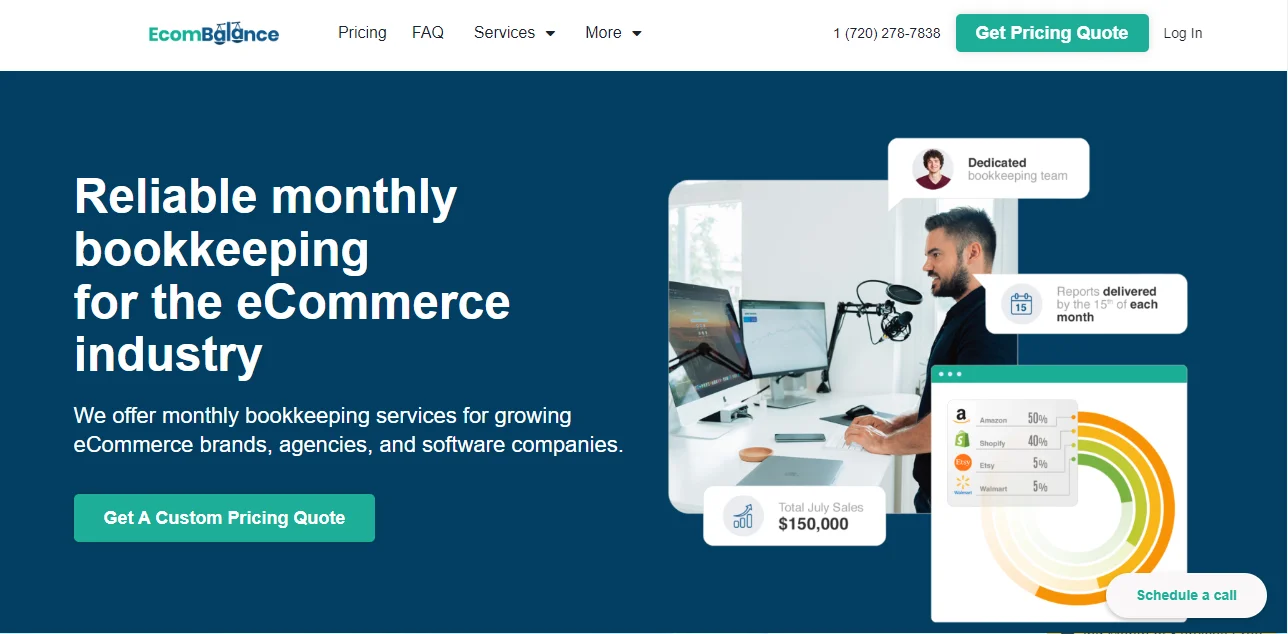
EcomBalance is a monthly bookkeeping service specialized for eCommerce companies selling on Amazon, Shopify, eBay, Etsy, WooCommerce, & other eCommerce channels.
We take monthly bookkeeping off your plate and deliver you your financial statements by the 15th or 20th of each month.
You’ll have your Profit and Loss Statement, Balance Sheet, and Cash Flow Statement ready for analysis each month so you and your business partners can make better business decisions.
Interested in learning more? Schedule a call with our CEO, Nathan Hirsch.
And here’s some free resources:
- Monthly Finance Meeting Agenda
- 9 Steps to Master Your Ecommerce Bookkeeping Checklist
- The Ultimate Guide on Finding an Ecommerce Virtual Bookkeeping Service
- What Is a Profit and Loss Statement?
- How to Read & Interpret a Cash Flow Statement
- How to Read a Balance Sheet & Truly Understand It
Huge thanks to Printify and Printful for collaborating on this post!